
CRM integration guide
Voicemail to CRM: A Practical Integration Guide for UK Businesses
We connect phone enquiries and voicemail transcripts to the CRM or job-management system your business already uses. Keep the customer’s message, its owner and the next action together, with a workflow built around your team.
What does a voicemail-to-CRM integration do?
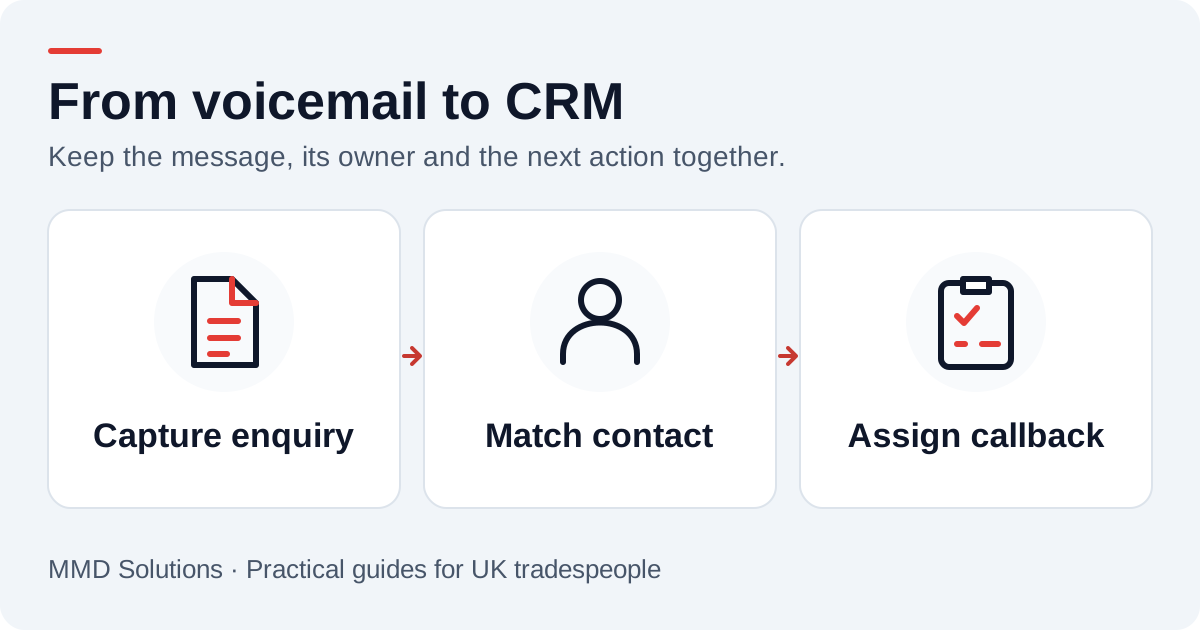
The phone service captures an enquiry and sends it to an integration service. That service checks whether the caller already has a CRM record, attaches the message to the right place and creates a follow-up action. Someone on your team then reviews the transcript and returns the call.
That last step matters. A transcript can mishear a name, a postcode or a job detail. It should be treated as the caller’s message to review, not a confirmed quotation, diagnosis or booking. Keep the original text separate from any edited summary.
Where would each CRM store the enquiry?
The best destination depends on how your team already works. Start with its existing customer records and callback queue, rather than introducing a new sales pipeline for every phone call.
| Enquiry detail | CRM destination |
|---|---|
| HubSpot | Contact, transcript note and an associated task |
| Pipedrive | Person, note and an unfinished call activity |
| Zoho CRM | Lead or Contact, note and an assigned Task |
| Salesforce | Existing Lead or Contact and an owner-assigned Task |
We tailor the record mapping to your customer data and working process.
Already using a job-management system?
The same handover can fit the tool you use to manage work. We connect enquiries around your existing process, including who qualifies new work and who handles messages about current jobs.
- Jobber: connect incoming calls to your request and follow-up process.
- Tradify: bring phone messages into the enquiry-to-quote workflow.
- ServiceM8: fit message capture and ownership around the phone features you use.
Match a caller carefully
A saved international-format number such as +44 7700 900123 is easier to compare than several local formats. Normalisation helps, but a phone number is not a unique identity: households share numbers, offices use switchboards and numbers can change hands.
- One reliable match: attach the enquiry without overwriting established customer details.
- No match: create an agreed provisional record or send the enquiry to a review queue.
- Several matches: ask a person to choose; do not silently merge records.
- No usable number: preserve the message for review without inventing contact details.
A practical callback workflow
The integration can attach that text to the customer, label its source as a phone enquiry and create a task for the member of staff handling callbacks. The task might read “Return call about kitchen tap — requested after 3pm”. That wording records a preference; it does not promise an appointment.
If the caller rings twice, two genuine messages may need to remain visible. If the phone provider sends the same event twice, it should create only one entry. Keeping the provider’s call reference lets the integration distinguish those cases.
What needs agreeing before setup?
- Which phone number or forwarding arrangement supplies the enquiries?
- Which CRM account, records and fields should receive them?
- Who owns new enquiries, and what happens outside working hours?
- Which CRM permissions and API access does your subscription allow?
- How will failed deliveries be retried and shown to staff?
- Who may view transcripts, and when should the copies in each system be deleted?
A connector or automation platform may suit a simple flow if its actions support the required links and duplicate controls. A direct API integration offers more control over matching and recovery. Neither route removes the need to test the complete workflow in your own account.
Questions to ask before connecting
Will it create a deal for every missed call?
It should only do so if that is the rule you choose. Existing-customer questions, supplier calls and unanswered calls without a message should not automatically become new opportunities.
What if the CRM is unavailable?
A production design should retain a recoverable delivery record, retry temporary errors and show failures to an owner. A successful transcription alone does not prove the CRM received it.
Does a phone enquiry subscribe someone to marketing?
Keep that decision separate. The integration should not change email or SMS marketing preferences just because someone asked for a callback.
Sources and review
Reviewed 17 October 2026. HubSpot task associations · Pipedrive records and activities · Zoho CRM record types · Salesforce external-ID upserts.
Our custom integrations are configured around your records, team and follow-up process. Platform documentation informs the setup; the examples here illustrate workflow choices.
Plan the human follow-up too: use the free callback checklist and customer reply templates.