
Zoho CRM integration guide
Zoho CRM Voicemail Integration: Capture Enquiries Without Duplicate Leads
We connect phone enquiries and voicemail transcripts to Zoho CRM, with customer context and a clear next action for your team. The workflow follows the way you handle new enquiries and existing customers.
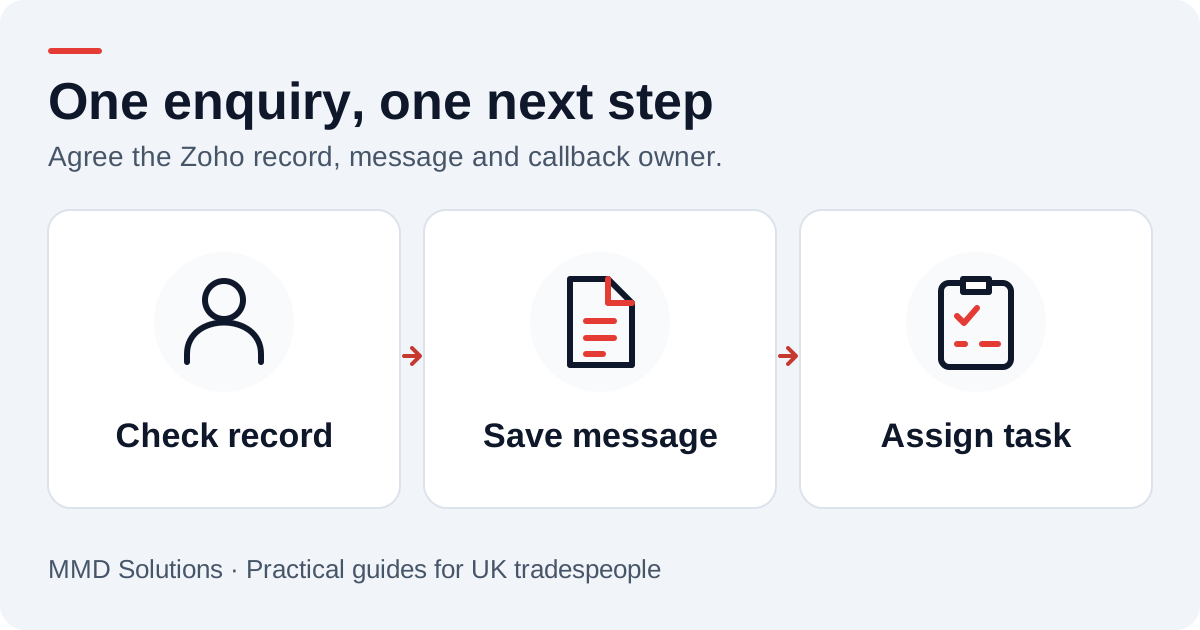
Choose the Zoho module for each enquiry
We map existing customers to their Contact records where there is a reliable match. A genuinely new sales enquiry could become a Lead under your qualification rules. A message about an existing job might need a note and task without a new sales record at all.
Zoho’s Insert Records documentation covers several modules with different requirements. Leads and Contacts require Last_Name, and your layout may add mandatory fields. A caller who gives only a phone number cannot automatically satisfy every configured layout. Agree a review path or a clearly labelled provisional-record convention instead of guessing a name.
Use duplicate checks deliberately
Zoho supports upsert: updating a matching record or creating one when no match is found. Its duplicate-check rules use system-defined and user-defined unique fields. A normal Phone or Mobile field should not be assumed to be unique just because the integration has a number.
We inspect your field configuration and decide whether an external reference or an existing unique field is appropriate. See the Upsert Records guide before choosing duplicate_check_fields. That decision also needs a practical rule for shared phones and callers already present in both Leads and Contacts.
Deduplicating the customer and deduplicating the call delivery are different jobs. A stable call reference would stop a retried message creating another note, even when the customer has correctly matched the same Contact.
Suggested Zoho CRM field mapping
| Enquiry detail | CRM destination |
|---|---|
| Customer details | Lead or Contact fields approved for that layout |
| Transcript | A Note related to the selected record |
| Follow-up | A Task with Subject, owner and an agreed due date |
| Optional call history | A Calls record only if its required fields can be supplied accurately |
| Technical reference | Integration ledger linking the call event to Zoho record IDs |
Zoho documents Notes and their parent records. A note must be attached to the intended customer record so the team can find it. A callback Task and a completed Calls record serve different purposes: receiving a voicemail does not mean the team has returned the call.
Example: an existing customer needs a return call
With a reliable Contact match, the proposed workflow would attach the message and create a task for the person arranging visits. It would not create another Lead or silently reschedule an appointment. If two Contacts share the number, a review item would preserve the enquiry until staff identify the right person.
Keep the transcript as received. An edited task title such as “Discuss requested appointment change” can make the next action clearer without replacing the original words or claiming the change has already been agreed.
Check the account’s automation and access
We confirm the Zoho account’s data centre, authorised API access, field API names, active layouts and owner rules. Credentials should remain on the integration server, with an administrator controlling the account permissions.
Record creation can interact with existing automation. Review the API’s trigger behaviour alongside your configured workflows before testing: you do not want one voicemail to generate an unexpected customer email, assignment or duplicate task. Agreement on the intended outcome is part of setup.
Retention also needs to cover every copy. Removing a short-lived demo session would not remove a separate note created in a customer’s CRM. The production workflow would need its own agreed access and deletion process.
A Zoho pilot checklist
- Confirm what happens when a new caller gives no surname.
- Match an existing Contact before opening a new Lead.
- Test a customised layout with extra required fields.
- Check which workflows fire and which customer messages are sent.
- Recover an API-limit or access error without losing the enquiry.
- Verify that repeating the same delivery creates only one note and callback task.
Can an upsert solve every duplicate problem?
No. It can help when the chosen unique fields and module rules fit the data. It cannot decide which person owns a shared phone or whether an existing customer’s new enquiry should create a Lead. Those are workflow decisions to agree first.
Sources and review
Reviewed 17 October 2026. Module requirements and record creation · Unique-field and upsert rules · Notes and parent records.
Our custom integrations are configured around your records, team and follow-up process. Platform documentation informs the setup; the examples here illustrate workflow choices.
Plan the human follow-up too: use the free callback checklist and customer reply templates.