
Enquiry automation and setup
Automating Trade Enquiries: From First Contact to Customer Follow-Up
The useful automation is the handover: the right customer, the right job context and a clear next action. Capturing a message is only the start. A connected workflow should reduce repeated typing while making it obvious when something needs human attention.
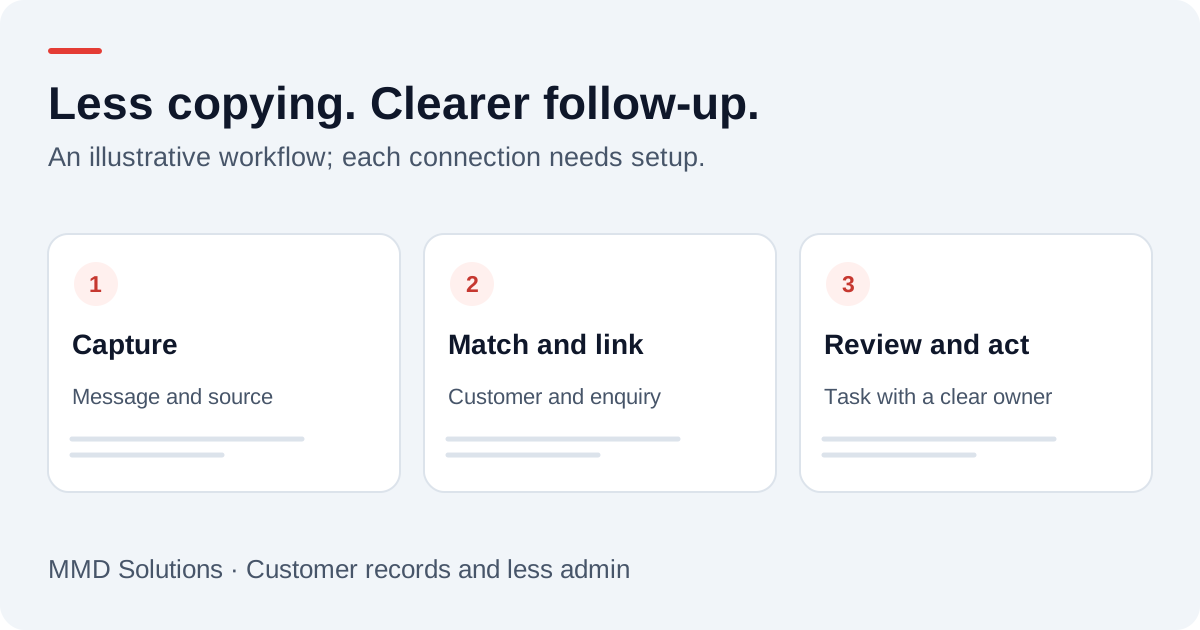
A practical enquiry-to-customer workflow
- Capture: receive an enquiry from a connected phone service, form or inbox.
- Identify: match an existing customer where the evidence is reliable.
- Record: save the original request with its source and time.
- Link: attach the enquiry to the right customer and, when known, site or job.
- Assign: give someone a next action and an agreed due time.
- Review: confirm the details and move the enquiry forward.
That is a proposed workflow. Each input needs supported access, permissions and testing. Buying a CRM does not make conversations from every app appear in it automatically.
What can come in automatically?
| Channel | Possible capture route | Important limitation |
|---|---|---|
| Website form | Form submission creates or updates an enquiry | Check required fields, spam controls and failed deliveries |
| Phone message | Supported telephony event supplies message and callback number | No message may mean no job details to capture |
| An authorised inbox connection links the conversation | Decide which messages belong in customer records | |
| A supported business-platform connection where available | Ordinary app conversations are not automatically accessible | |
| Conversation on site | A short manual note or reviewed dictation | A person must still provide the missing context |
Start with one channel you use frequently. Test it fully before adding another. Avoid promising automatic capture of private conversations or unsupported apps.
Tradify documents web-form and email enquiry routes and onward job-management functions. For general CRMs, use our CRM integration overview to plan the record mapping. Product capabilities and account access must be confirmed during setup.
Automate the copying; keep decisions reviewable
The automation should not guess the work address from an old job, confirm an appointment without checking availability, or turn an uncertain transcript into an agreed price. Flag missing details and ambiguous matches instead.
When you already return every call reliably, the benefit may be the record and preparation rather than a faster response. Measure the repeated entry or searching removed, rather than assuming extra sales.
What happens when a connection fails?
Define success as the intended record and task arriving where staff can use them. A transcript created at the phone provider is not proof that the CRM received it.
- Give each incoming event a reference to prevent duplicate delivery.
- Retry temporary failures without recreating successful steps.
- Show unresolved failures to a named person.
- Provide a manual fallback and a way to reconcile missing items.
- Keep uncertain customer matches out of automatic merges.
Test with invented enquiries first: an existing customer, a new contact, a shared number, a repeated event and an unavailable destination. Check the resulting customer view on mobile as well as the integration log.
What should a turnkey setup include?
Turnkey should mean the business can use the agreed process, with support when it fails. It requires more than access to a blank CRM.
- Map your current enquiries, customer data and staff responsibilities.
- Choose the system and agree the main customer record.
- Clean and migrate the active records you need, preserving a recovery copy.
- Connect supported channels and configure ownership rules.
- Test duplicates, failures, permissions and mobile use.
- Train the people doing the work and provide a simple handover.
- Agree monitoring, support, exports and the costs of third-party services.
Define scope in advance: which channels, how many users, which records move, what remains manual and who handles changes. A business should understand how to access and export its customer data if it later changes provider.
Where MMD is today
MMD’s public phone-to-text demo shows one part of this journey. It does not connect all your customer channels, migrate records or run your quoting and invoicing. CRM connections need an agreed configuration and testing; a complete turnkey trade-business setup is a future direction rather than a finished package demonstrated on this page.
If you already have a system, the starting question is where enquiries fall outside it. If you have none, first decide whether a simple CRM or trade job-management tool solves a recurring problem. We can discuss that workflow before proposing a connection.
A sensible pilot measures fewer repeated entries, easier access to history and completed follow-up. It should not require you to replace a process that already works just to use automation.
Sources and review
Reviewed 17 October 2026. Tradify: supported enquiry routes · HubSpot: records, imports and activities.
Provider documentation supports the product descriptions. Record structures, examples and setup checklists are MMD planning guidance, not customer results or a claim that these connections are already installed.
Plan the human follow-up too: use the free callback checklist and customer reply templates.
See the process in context: three illustrative trade admin workflows, from enquiry to invoice.
Working locally? Explore CRM and business automation for Cardiff tradespeople.