
Customer records for plumbing businesses
CRM for Plumbers: Customers, Properties & Follow-Up
A plumbing customer is not always the person at the property. A landlord may pay, a tenant may arrange access and your engineer may need the repair history. A useful CRM keeps those roles clear without asking you to enter the same details three times.
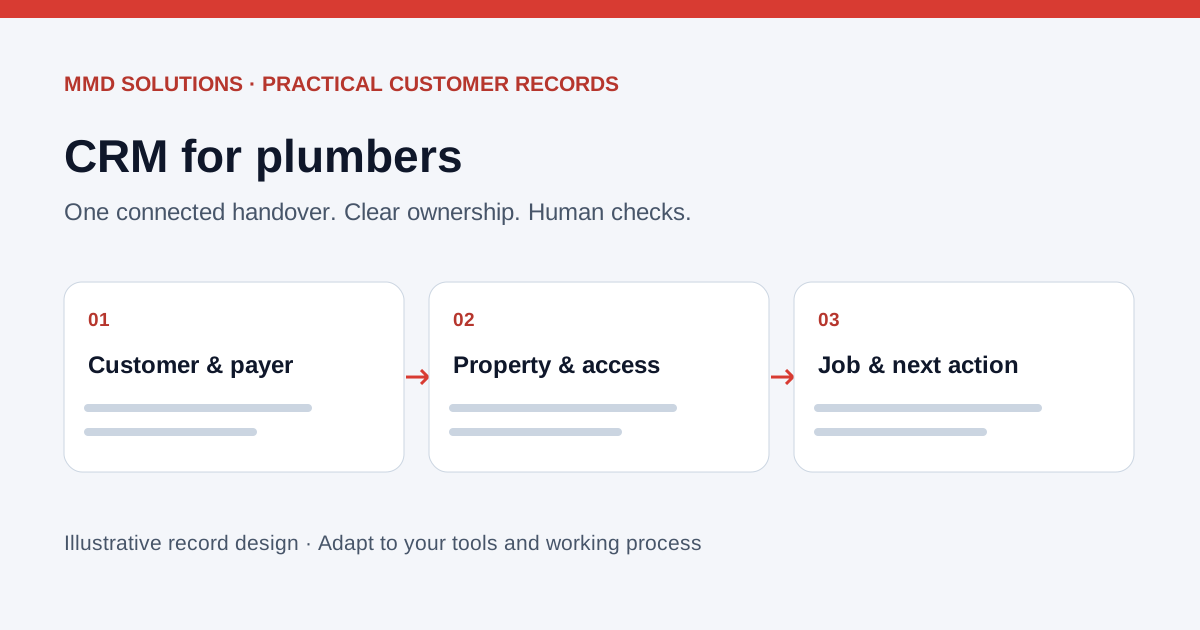
Start with the customer, property and job
A contact list alone cannot explain which address needs work or who should approve a quote. Keep a customer record linked to separate property and job records. A returning customer can have several properties, and a property can have several repairs.
- Customer: the person or organisation commissioning the work, preferred contact route and agreed communication preferences.
- Property: the service address and the relevant access contact. Keep sensitive access instructions restricted to people who need them.
- Job: what was reported, the original message or photos, current status, owner and next action.
- Quote: the scope and version sent, recipient, response and agreed follow-up date.
Confirm who is authorised to approve the work and who receives the invoice. Do not automatically treat a tenant, landlord and letting agent as interchangeable contacts. The customer master record guide explains the underlying structure.
A repair enquiry without losing the access details
- Capture the request and check whether the customer and property already exist.
- Attach the photo to the job after checking the match; avoid creating a second customer just because it arrived from another number.
- Assign an owner to confirm scope, authority and access.
- Link the approved quote and visit information to that job.
- Record the outcome and the next step so another team member can pick up the work.
This is an illustrative workflow, not a client case study or a promise that every message source can be connected. See the worked customer-record timeline.
CRM or plumbing job-management software?
A general CRM can organise customer history and follow-up. If your main work also needs job visits, quotes and invoices, a trade job-management system may already cover more of the process. Check the native features before adding another database.
Jobber documents clients with associated properties and a view of their requests, quotes, jobs and invoices. Its request workflow can lead to an assessment, quote or job. Tradify also describes an enquiry-to-quote, job and invoice workflow. These are examples to compare against your needs, not a claim that either provider is the best choice for every plumber.
- Can one customer have more than one property without duplicating their details?
- Can the person arranging access differ from the quote approver?
- Can staff see job history on the move with appropriate access?
- Does the required subscription include reminders, message capture and exports?
- Who notices a failed connection or an uncertain customer match?
Our Jobber enquiry guide and Tradify enquiry guide cover the phone handover. Provider features, plans and available connections can change.
Follow up the right quote with the right person
Give each outstanding quote a named owner and one next action. Check for replies before another reminder, including a reply sent to a different team member. Stop the sequence after acceptance, refusal or a request not to continue.
Jobber documents built-in quote follow-ups on eligible plans. Review those settings first so a separate automation does not send a second chase. Use our text and email templates to agree appropriate wording rather than relying on a generic sales sequence.
For the first contact, the plumbing enquiry guide covers what to capture while you are on a job.
Test one handover before moving every customer
Start with sample records for a returning customer, a new property and an enquiry involving an agent and occupier. Check the recipient, job link, permission settings and next action. Then compare a small agreed trial against the current process: time spent finding history, duplicate entries, missed handovers and how easily another person can take over.
Keep a route to correct or merge records and export the information. A shared tracker may be enough if the current workload is simple; software is useful when maintaining it takes less effort than the repeated searching or copying it replaces.
Sources and review
Reviewed 17 October 2026. Jobber: client basics · Jobber: request basics · Jobber: automations · Tradify: job management.
Record designs, examples and checklists are MMD’s own analysis. Product documentation establishes the features discussed; it does not establish savings or endorse MMD. Confirm current plan availability and connection support before choosing software.
Work locally? See Cardiff CRM and business automation. For the wider decision, read when tradespeople need a CRM or compare customer workflows for electricians.
From enquiry to payment review
Follow the practical plumber enquiry to invoice workflow for scope, approval, completed work and invoice handover.