
Customer records for electrical businesses
CRM for Electricians: Sites, Quotes & Job Handover
An electrical enquiry can move through a site visit, a revised quote and a handover to the person doing the work. A useful CRM keeps the customer, site and latest approved scope connected, so a change in one conversation does not disappear before the next visit.
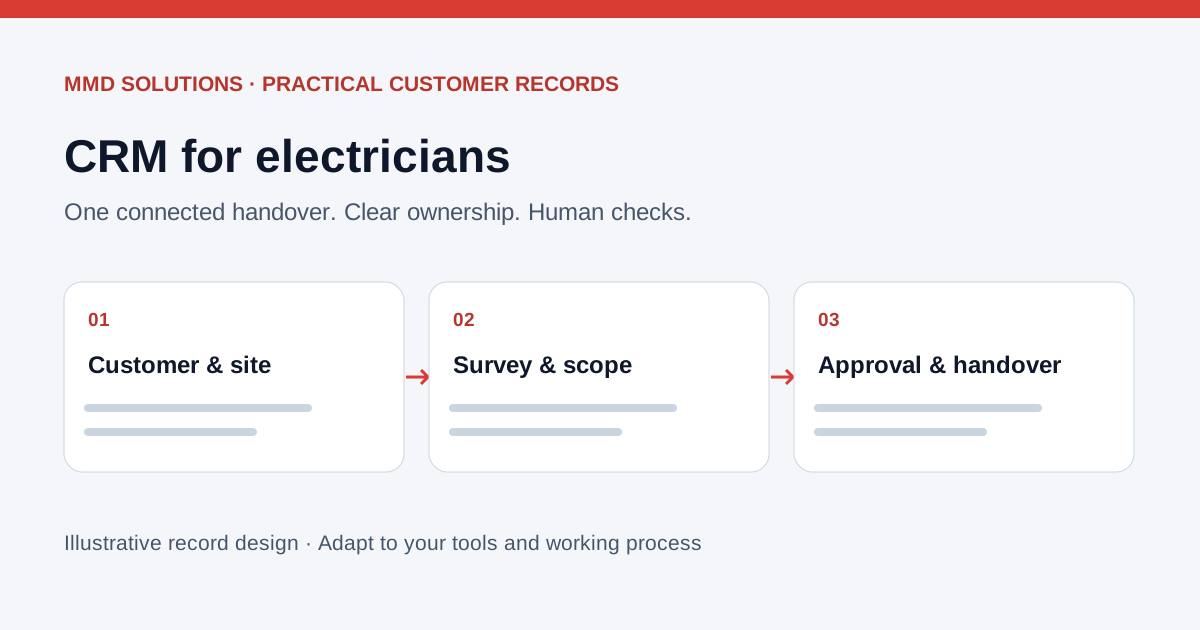
Separate the client, site and piece of work
A repeat commercial client may have several sites and different contacts for access, approval and payment. Even for a domestic job, the person who first calls may not be the person approving a variation. Model those relationships rather than putting every detail in a single customer note.
- Client: who commissions the work and which contacts can approve the quote.
- Site: the address, relevant contact and agreed access arrangement.
- Survey or assessment: the request, site notes and questions that need a qualified person’s review.
- Quote and job: the version approved, outstanding changes, assigned owner and next action.
- Documents: references to the relevant approved files and who is responsible for them.
The CRM coordinates the information. Technical assessment, testing and document approval remain with the appropriate qualified person. A “complete” checkbox in a customer record does not establish technical compliance.
A quote changes after the site visit
- Link the original request to the correct client and site.
- Assign the assessment and capture the outstanding questions.
- Keep the revised quote identifiable; record approval against the correct version.
- Prepare the job handover from the approved scope and flag anything unresolved.
- After work, attach the relevant approved-document references and agree any further action.
This is a workflow design, not a customer result or an electrical-work specification. Its purpose is to stop a stale quote or incomplete handover becoming the team’s working record.
What should electrician CRM software include?
Compare a general CRM with the job-management tools you already use. Tradify’s electrical-contractor page describes enquiry capture, quoting and scheduling features. Jobber documents a client/property structure and a request workflow that can progress to an assessment, quote or job. The practical question is whether the whole handover works for your team.
- Can a client have several sites and contacts with different roles?
- Can the team find the current accepted quote without reading an entire message thread?
- Can an unresolved survey question prevent an automatic booking or premature follow-up?
- Can site notes and approved files be linked with suitable permissions?
- Can you export your records and explain who owns each action?
If certification is handled in a separate specialist tool, agree how its approved output or reference joins the job record. Do not assume that a CRM integration creates, signs or validates a certificate. Check the exact tool, plan and supported connection before promising that workflow.
Read our Tradify enquiry guide and ServiceM8 phone guide to review what may already be included in your existing setup.
Make follow-up depend on the current state
A quote awaiting a customer decision needs a different next action from a job awaiting survey information. Record that distinction before setting up reminders. Check whether the customer has replied, the quote has changed or somebody has already agreed a next contact.
Use a named owner and an agreed review date. A repeat-work reminder should follow the business’s actual agreement with the customer; the CRM should not invent a technical inspection interval. Our quote follow-up templates provide wording you can adapt to the current job.
Test the awkward cases before rollout
Use fictional records to try a multi-site customer, a changed site contact, two versions of a quote and a missing approval. Check that reminders stop when the state changes and that staff can see which action needs a person.
Then trial one real handover with an agreed owner and permission settings. Measure time finding the accepted scope, corrections needed and whether the person doing the work can find the context. Keep technical judgements out of automated matching rules and retain an export and correction route.
The worked admin examples and customer master record guide show the underlying record structure.
Sources and review
Reviewed 17 October 2026. Tradify: electrical contractor software · Jobber: client basics · Jobber: request basics.
Record designs, examples and checklists are MMD’s own analysis. Product documentation establishes the features discussed; it does not establish savings or endorse MMD. Confirm current plan availability and connection support before choosing software.
Work locally? See Cardiff CRM and business automation. For the wider decision, read when tradespeople need a CRM or compare customer workflows for plumbers.