
Templates & tools
Free Job Sheet Template for UK Trades
A job sheet template should make it easy to tell what was requested, what happened on site and what needs doing next. For a small trade business, that can be more useful than another long form that nobody finishes.
Download the free job sheet template (CSV)
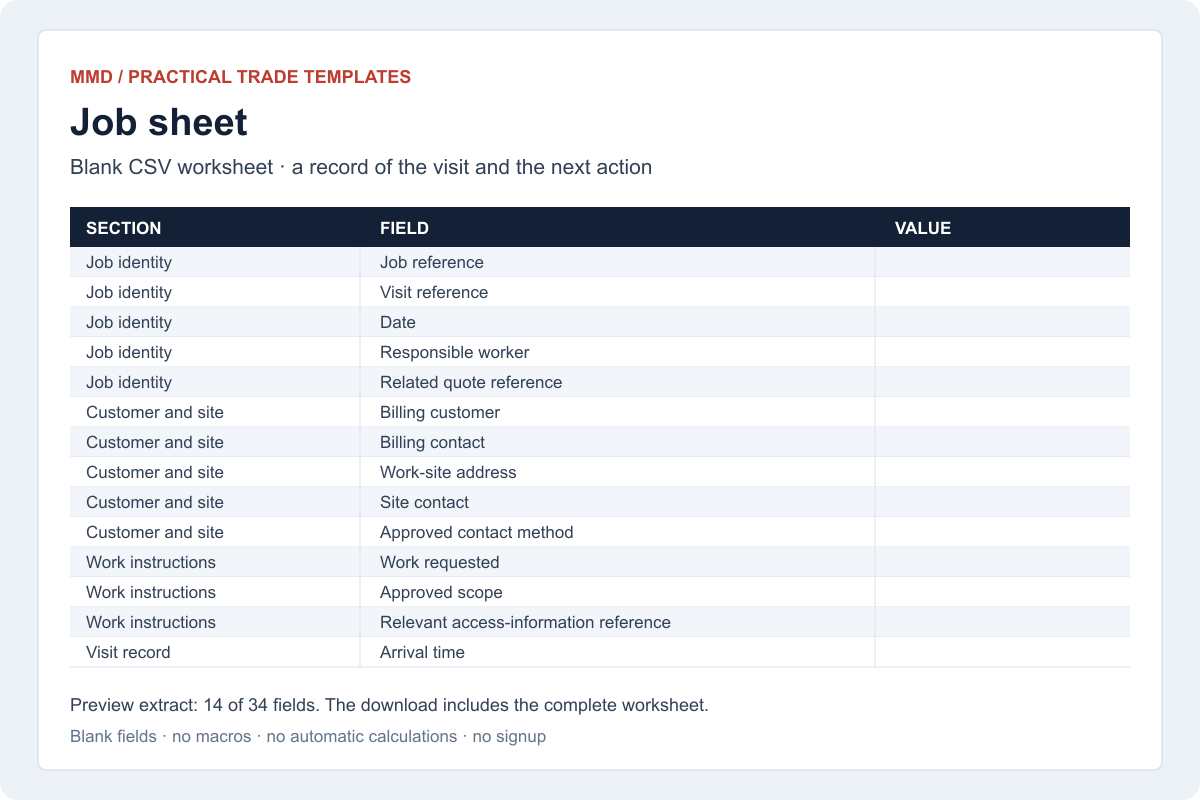
The download is a blank field-and-value worksheet you can edit in Excel, Google Sheets or another compatible spreadsheet app. Make a copy for each visit. It contains no macros, automatic calculations or customer information and requires no signup.
What should go on a trade job sheet?
Start with the information someone else would need to pick up the job tomorrow. The template separates instructions from the record of what was actually completed.
| Part of the record | What to enter |
|---|---|
| Identity | Job reference, visit date and responsible worker. |
| People and place | Billing customer, site address and relevant site contact. |
| Instructions | Work requested, agreed scope and quote reference. |
| Visit record | Arrival, finish, breaks, work completed and materials used. |
| Changes | Extra work requested, approval status and revised quote reference. |
| Evidence | Relevant document or photo references, stored in the appropriate place. |
| Handover | Completion status, issues, invoice readiness and the next action’s owner. |
This is an original operational template, not a trade certificate, inspection report, risk assessment or contractual waiver. Use any required specialist records alongside it. A signature or completion note should describe what it confirms; it should not pretend to remove a customer’s rights.
Worked example: a repair and a return visit
Imagine a fictional plumbing business attending a leaking tap at a rented property. The landlord is the billing customer. The tenant is the access contact. The property is the work site. Keeping those roles separate stops the office from sending an invoice to the wrong person.
The worker records the job reference and the work completed. If another part is needed, the visit is marked “return visit required”, not simply “done”. The next action might be “confirm part availability and offer a return date”, owned by the office. An estimated future cost stays separate from work already approved.
When the worker returns, use a linked visit record. That lets someone see what happened on each date without overwriting the first attendance. The invoice can then refer to the correct approved work and supporting records.
The example is invented to illustrate the handover. It is not a customer case study or evidence that a particular form saves a fixed number of minutes.
Turn the sheet into a useful next action
A completed form is not the same as a completed process. Agree the small set of statuses your team will use. For example: ready for review, awaiting customer approval, return visit required, ready to invoice and closed.
- Review the record. Is the description understandable and is any change in scope clearly identified?
- Resolve uncertainty. Do not let an unclear note become an automatic invoice or booking.
- Assign the next action. Name a person and, where appropriate, a date.
- Link the outcome. Attach the invoice, follow-up or next visit to the same customer and job context.
Our customer-record guide explains how the people, properties and job history can fit together. The job profit calculator can help you consider labour, travel and admin in a quote; it does not replace an actual visit record.
When the visit is ready to bill, use the sole trader invoice template and billing checklist to carry the approved work and correct customer details into the invoice. Check the template’s non-VAT scope before using it.
Keep the worksheet useful without collecting everything
The ICO’s data-minimisation guidance says personal information should be adequate, relevant and limited to the purpose. That is a helpful test for every field you add. Read the ICO’s explanation.
Use controlled storage for access arrangements and sensitive material. Do not turn a general worksheet into a list of alarm codes, payment-card numbers or private information unrelated to the job. Limit sharing to the people who need the record, and set a retention approach suited to the work and your obligations.
When is a template no longer enough?
Look for the actual failure rather than assuming software is always the answer. Repeated lost sheets, uncertain versions, missing photos and slow handovers may justify a digital process. If a simple worksheet is already reliable, keep it simple.
Suppliers such as Jobber publish their own job-sheet resources, showing how forms can connect to a wider system. A supplier’s feature description is not independent evidence of time savings. Test your chosen process with ordinary visits and awkward exceptions before relying on it.
Common questions
Is a job sheet the same as an invoice?
No. It records the visit and supports the handover. The invoice asks for payment and needs its own appropriate details.
Should I overwrite the sheet when a job changes?
Keep a clear history. Record the change, its approval and the relevant version rather than hiding the earlier instruction.
Can I automate the transfer into a CRM?
Possibly. First agree field matching, permissions, duplicate handling and a review step. See our enquiry automation guide for a related handover pattern.