
Business admin for UK trades
Shared Inbox Ownership: Stop Two People Replying to One Customer
When an owner and administrator both read the business inbox, a read message can look handled even though nobody has replied. Agree who owns each conversation before answering. This guide is for a small team sharing customer communication, not a requirement to buy a help desk.
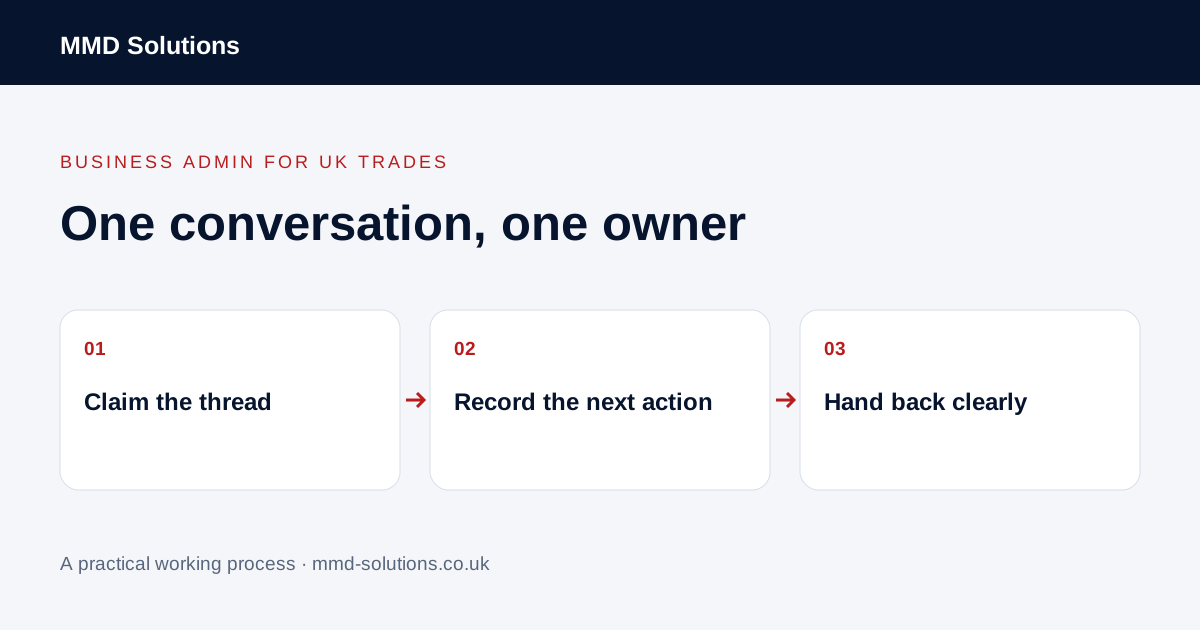
Claim the conversation before replying
Choose one visible place to show responsibility: an assignment field, an agreed mailbox category or a linked task. The owner is the person responsible for the next action, not necessarily the person who opened the email first. Check the latest reply and any current draft before responding.
Keep related messages in the same thread where practical and link the job reference. A customer can have several jobs, so their name alone is not enough to establish what they are asking about. Avoid treating a forwarded copy in a personal inbox as the authoritative conversation.
Separate unread, unassigned and waiting
Read/unread is a viewing state, not a reliable work status. Use positions such as unassigned, action needed, waiting for the customer, waiting for the owner and closed. Each open position needs either an action or a reason to wait.
An administrator may be waiting for the owner to approve a date while the customer is waiting for a reply. Record that internal dependency rather than labelling the whole conversation “awaiting customer”. Otherwise the next person may send an irrelevant chase.
Agree cover and authority
- Who checks unassigned messages during the day?
- What can the administrator answer without approval?
- Who covers when the assigned person is unavailable?
- How is an urgent exception brought to the owner?
- How does the original owner know the cover action is complete?
Use authorised individual access supported by your email system. Do not share a personal password as a shortcut. Keep technical scope, discounts and unconfirmed commitments with whoever is responsible for those decisions.
A small-team example
If the owner answers directly by phone, add the outcome before the office sends a reply. Closing the thread should mean the current request has been addressed, not merely that somebody read it.
Check existing inbox features first
HubSpot documents conversation views and filters for status and assignee. This is an example of an existing ownership model; it is not evidence that every mailbox detects simultaneous replies or that automated routing is available on every plan.
Test your own process with two people and one fictional enquiry. Can both identify the owner, see the latest reply and understand what is waiting? If an agreed category and a task solve that, use them before adding another platform. Review any duplicate replies to find whether ownership, visibility or cover was missing.
Download the working checklist
Download the blank worksheet (CSV). Use fictional details for a trial, then adapt the fields in the system you already maintain. Do not keep a separate spreadsheet just to duplicate a working process. Protect real customer details and share only what the person handling the task needs.
Sources and review
Reviewed 25 October 2026. HubSpot: conversation status and assignee views.
Source material supports the specific examples referenced. The checklists, worksheets and illustrative scenarios are MMD's suggested business-admin processes, not customer results. Product workflows can change; check current documentation for the software you use.