
Business admin for UK trades
Business Automation Project Brief: What to Give a Developer
“Automate our admin” leaves too many decisions unresolved. A useful brief starts with one repeated task and describes a result the business can check. This worksheet helps an owner explain the work to a developer or implementation provider without choosing a tool before the process is understood.
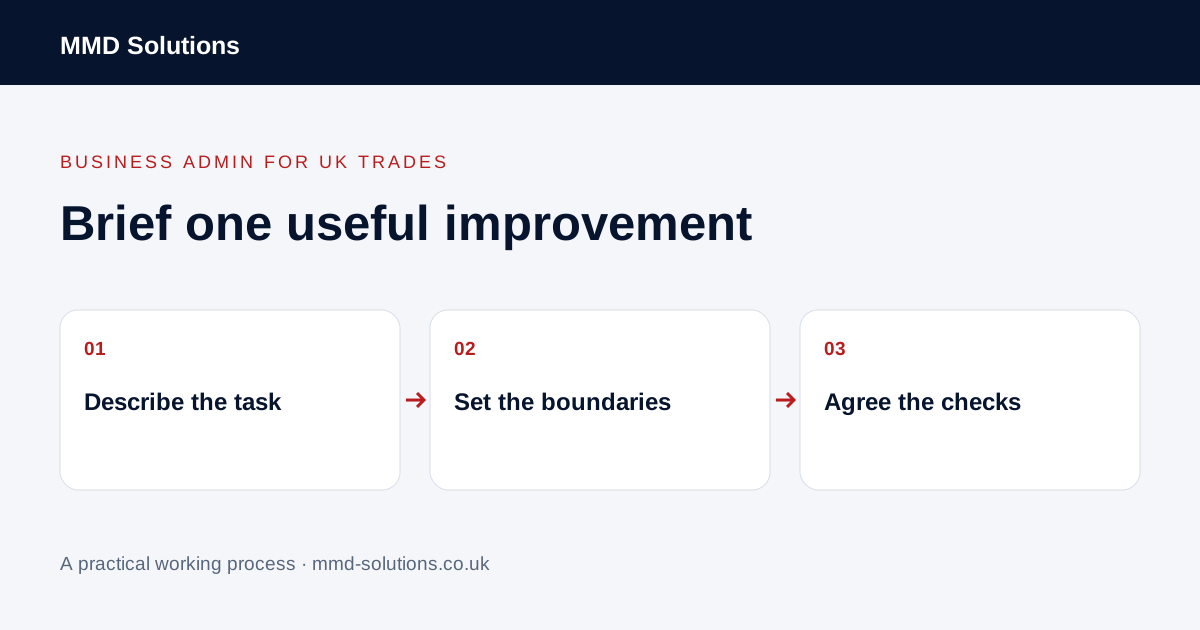
Describe one recent example
Write down who did the task, what started it, which tools were involved and what they entered or checked. Include a redacted example of the information and any difficulty. Distinguish a routine copy from a decision requiring experience or approval.
Record the observed frequency and effort only where you have measured or reliably recorded them. Do not present a guessed saving as a business case. Check existing software features first; an automation brief can conclude that configuration or a simpler routine is sufficient.
State the input and intended output
- The event that starts the workflow.
- The source record and fields required.
- The destination record or action.
- How existing customers or jobs are matched.
- Which person owns missing or conflicting information.
- Which actions need approval before proceeding.
Zapier uses triggers and actions to describe automated workflows. That is useful vocabulary, not a recommendation to use a particular platform or a guarantee that your systems expose the required connection.
Write down what must not happen
Specify boundaries such as no automatic change to a price, no customer message before review and no new contact when an existing record should be used. Define the response to cancellation, duplicate input, missing fields and an unavailable system.
Identify the person responsible for approving access through supported accounts and permissions. Do not put passwords, live customer records or unrestricted exports into a general project brief. Discuss the smallest necessary access through the appropriate secure setup process.
Use acceptance examples instead of vague promises
Agree examples for normal input, repeated input and an exception. Specify what a reviewer should see in each case. A working demonstration of a single happy path is not evidence that the full process is ready.
Include the handover after implementation
Record who monitors failures, who can pause the workflow and how the business continues manually if required. Agree where the process and changes are documented. Ask what ongoing subscriptions, limits or maintenance affect the chosen design, without assuming a quoted setup covers all future changes.
Begin with a bounded trial and verify the destination records and human workload. Compare actual outcomes with the original task, including checking and correcting errors. The brief should make it possible to decide whether the improvement helps, rather than committing the business to ever more connections.
Download the working checklist
Download the blank worksheet (CSV). Use fictional details for a trial, then adapt the fields in the system you already maintain. Do not keep a separate spreadsheet just to duplicate a working process. Protect real customer details and share only what the person handling the task needs.
Sources and review
Reviewed 26 October 2026. Zapier: trigger and action concepts.
Source material supports the specific examples referenced. The checklists, worksheets and illustrative scenarios are MMD's suggested business-admin processes, not customer results. Product workflows can change; check current documentation for the software you use.