
One clear goal
Run and extend a repeatable Python CSV-to-SQLite pipeline with row validation, quarantine, idempotent writes and structured logs. This is a working starter for adaptation, not a managed service or a universal production deployment.
Quick start
Extract the ZIP into a dedicated folder. Install Python 3.11 or later from the official Python distribution. No third-party packages are required. Open a terminal in the extracted folder and run:
python -m unittest discover -s tests -v
python -m etl --source examples/orders.csv --database data/orders.sqlite3 --output output
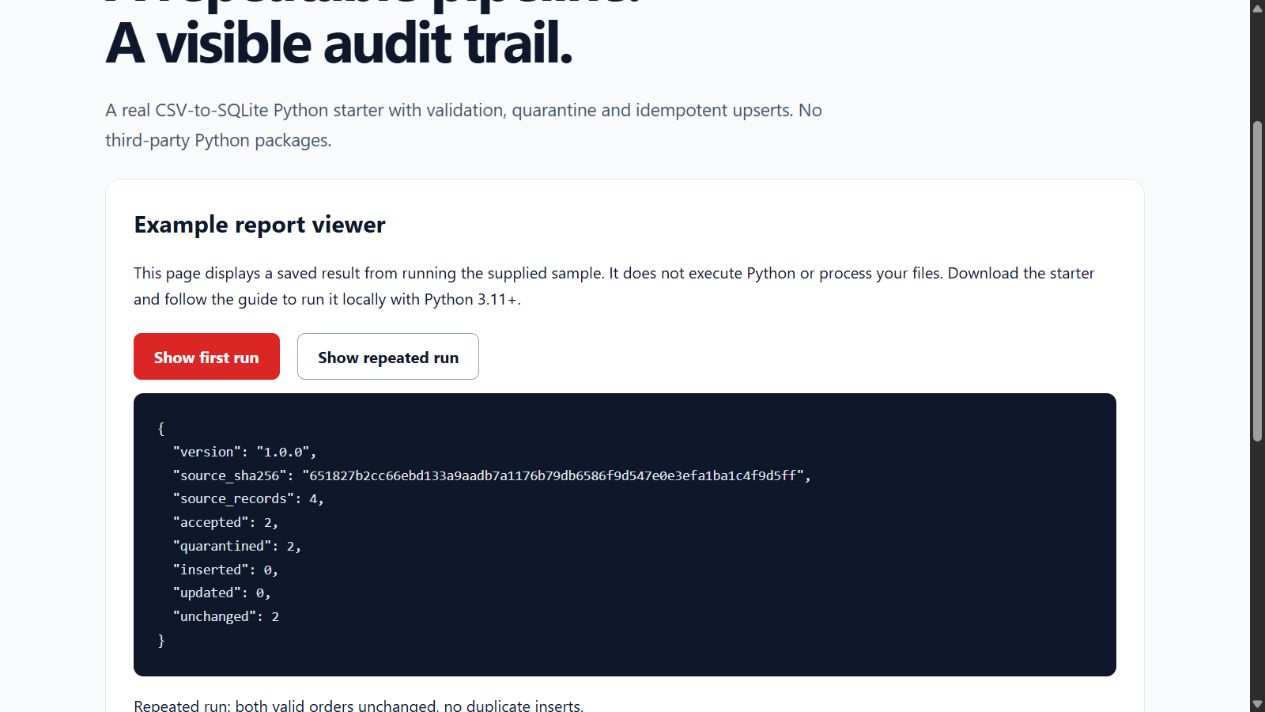
On some systems use python3 instead of python. Windows also supports py -3. The sample intentionally contains two invalid records. The command loads two valid orders, writes a report and quarantine file, and exits with code 2 to flag partial acceptance. Run it again: the two valid orders are unchanged, with no duplicates.
Input contract
Use comma-delimited UTF-8 CSV, at most 5 MB and 50,000 records, with headers in this exact order:
order_id,order_date,customer_id,quantity,unit_price
IDs contain 1–100 characters after trimming. Date is a real YYYY-MM-DD date. Quantity is 1–999999 whole units. Unit price is non-negative, at most 99999999.99 with up to two decimals and a dot decimal separator. The example has no currency conversion: all prices must use the same currency. Prices are stored as integer minor units, avoiding binary floating-point money calculations.
Duplicate order IDs within a file quarantine every occurrence. Invalid rows are quarantined with logical CSV record numbers and source values. Malformed CSV, invalid headers, encoding failures or oversized files abort the run. Valid orders load in one transaction using parameterised statements.
Idempotency and outputs
order_id is the database key. A canonical payload hash identifies unchanged records; changed orders update their fields. Missing source orders are retained; this is an upsert pipeline, not a full-table replacement. Do not run concurrent jobs against the same output folder.
data/orders.sqlite3: current accepted orders.output/run-report.json: source SHA-256, source/accepted/quarantined counts and inserted/updated/unchanged counts.output/quarantine.json: rejected source records and reasons. This contains your data; store it privately and apply your retention policy.- Standard error: JSON operational log entries with counts and hashes, without customer values or source paths.
- Standard output: final run report. Exit 0 = all accepted; 2 = quarantine present; 1 = run failure.
Each report file is replaced atomically. Database commit and report files are not one atomic transaction: a disk failure after database commit can leave stale reports. Treat exit 1 as a failed run, investigate permissions/disk space and rerun idempotently. Keep source files and backups.
Retries, Docker and CI
Only SQLite busy/locked errors retry: default three attempts, bounded exponential delays, configurable --attempts 1 through 5. Validation and permanent errors do not retry. The whole database transaction rolls back on a write error.
Optional Docker example (requires Docker installed):
docker build -t mmd-etl-starter .
docker run --rm -v /absolute/private/data:/data mmd-etl-starter --source /data/orders.csv --database /data/orders.sqlite3 --output /data/output
The container runs as UID 10001; grant that user access to the mounted directory. Windows Docker users should supply a supported absolute bind-mount path. Docker is optional; the Python command is the simplest start. The included CI workflow runs unit tests on Python 3.11–3.13 when you place the project in your own GitHub repository. Container builds and hosted CI are supplied templates; the local release is tested with the available Python runtime, not every target environment.
Extend and deploy
etl/pipeline.py separates extraction, validation, transactional loading and reports. Add tests before changing the schema. Add migrations rather than assuming an existing database can change shape automatically. Schedule one job at a time using your own scheduler; add monitoring, access controls, backup/restore, data retention and environment-specific secrets handling before using real customer data. Network ingestion, cloud connectors, authentication and multi-tenant hosting are not included.
Purchase and support
£29 once includes version 1.0.0, source, sample data, tests, Docker/CI templates, this guide, an internal-business-use licence and 90 days of installation support. Future versions, custom connectors and production operations are not promised. Support: support@mmd-solutions.co.uk.
Source and current version
This documentation is generated from the tool’s own versioned guide. See the current Hub guide and tool page for availability and release details.