
Voicemail scripts and setup checks
Business Voicemail Greeting Examples for UK Tradespeople
A useful business voicemail greeting tells callers they have reached the right trade, asks for enough detail to return the call and explains what happens next. You can improve that today without changing your phone system.
What should a business voicemail greeting include?
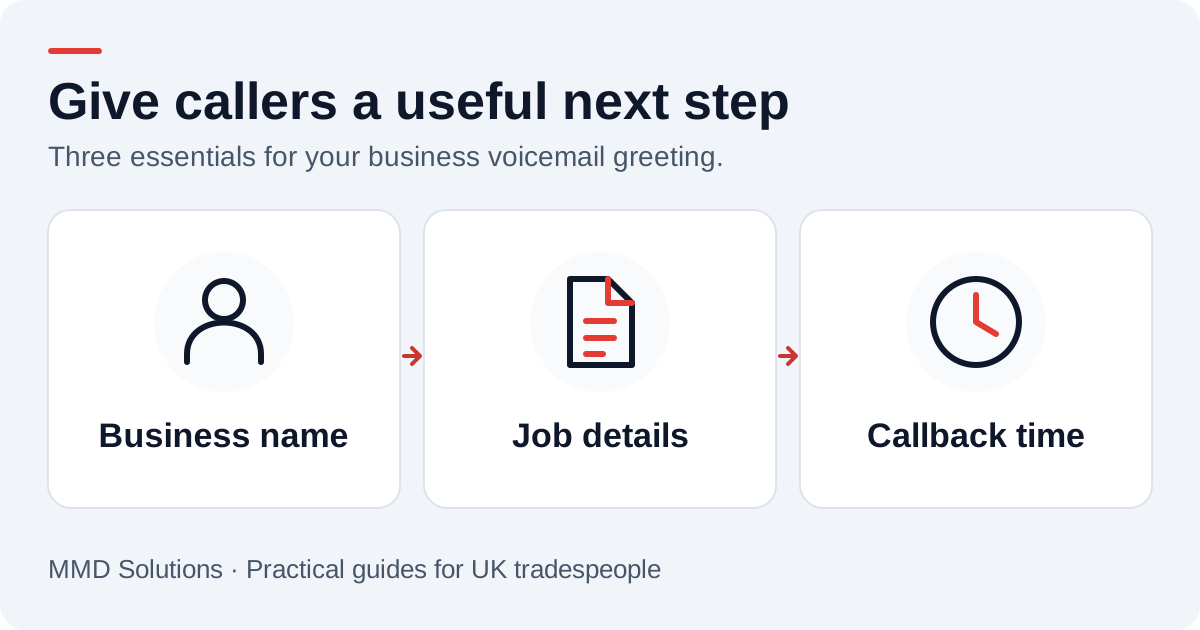
Start with your business name. Then ask for the caller’s name, callback number, job postcode and a brief description of the work. Those details help you check the area you cover and understand the enquiry before you return the call.
Finish with a callback expectation you can actually meet. If you review messages between jobs, say that. If you are away until a particular date, give that date rather than leaving a normal working-day greeting running.
- Identify the business: avoid a personal greeting that leaves a new customer unsure whose number they called.
- Keep the request manageable: a short job description is enough to begin. Save detailed questions for the conversation.
- Make the next step clear: leaving a message requests a callback; it does not confirm a visit, quote or booking.
- Only offer a monitored alternative: mention text or email if someone will check it. Don’t send callers to an unattended inbox.
RingCentral’s business voicemail guidance recommends a concise, identifiable greeting and following through on the response expectation. The scripts below are original MMD examples tailored to trade enquiries, rather than copied provider templates.
Four voicemail greeting examples to adapt
Replace every bracketed detail before recording. Read the script aloud once and remove anything that does not match how your business works. These are examples, not recordings from real customers.
1. You’re working on a job
Choose a callback window around your working day. Don’t promise an immediate response if you may be on site for several hours.
2. You’re already on another call
Use this only if your phone service supports a separate busy greeting. An unanswered call and an engaged line may use the same message on some services.
3. The business is closed
If you do not run an out-of-hours service, keep that clear. Don’t describe the voicemail as an emergency or rapid-response line.
4. You’re away or taking a planned break
Set a reminder to restore your usual greeting. If a colleague is covering, replace the last sentence with the actual contact route and agree who will handle those calls first.
Record it, then test it as a customer
Record somewhere quiet, speak clearly and listen back through an ordinary phone speaker. Clear wording matters more than adding music or trying to sound like a large call centre.
Phone systems differ. For example, Vonage’s setup documentation describes separate unavailable, busy and out-of-office greetings; its out-of-office greeting overrides the other two. Check your own provider’s instructions before assuming the same controls exist on your mobile plan.
- Call your business number from another phone and let it ring unanswered. Is the right business name audible?
- Test while your business phone is busy. Do callers hear the intended message, a different greeting or just an engaged tone?
- If you use scheduled hours, check the closed-hours greeting too.
- Leave a test name, number and postcode. Confirm the recording reaches the person who will return the call.
- If you use transcription, compare those details with the audio. Correct uncertain information with the caller.
- Check the mailbox has space and notifications work. A good greeting is little help if nobody receives the message.
Do these tests again after changing your number, forwarding rules, phone provider or holiday settings. A script cannot establish that the underlying call routing is working.
Call forwarding vs voicemail: which receives the call?
Call forwarding, also called call divert, sends a call to another destination. Voicemail records a message. If both are enabled, check which one answers first: a greeting on the original mobile or the destination phone may take the call before your intended workflow does.
EE Business distinguishes conditional and unconditional diverts. Conditional forwarding can apply when a line is busy or unanswered; unconditional forwarding sends every call on without ringing the original phone. These are different choices: forwarding everything to another service is not the same as giving yourself a chance to answer first.
Ask your own provider which conditions it supports and how voicemail interacts with them. Vonage’s UK forwarding documentation describes forwarding, sequential ringing and simultaneous ringing with different voicemail rules. It also warns about forwarding to a mobile already running its app. That is a product-specific example of why copying another business’s settings may not work for yours.
Does call divert cost extra?
There may be a charge for the forwarded part of the call. EE Business says forwarding to another UK number uses the relevant plan’s call rates or eligible allowance; destinations outside the allowance can cost extra. Check the destination number, your current tariff and roaming conditions directly with your network.
Before changing your setup
- Record the current forwarding and voicemail settings, and find your provider’s instructions for restoring them.
- Decide whether you want to answer first, forward every call or use cover only at particular times.
- Confirm the destination is a working business number and someone owns its messages.
- Test answered, unanswered and busy calls from a different phone; test closed hours if you use a schedule.
- Leave a test message and confirm it reaches the intended callback list once, with a usable return number.
- Check the next bill or usage record for unexpected forwarding charges.
This is a provider-neutral checklist, not a universal dial-code guide. Don’t remove existing voicemail or diverts until you know how to restore the intended route.
What happens after someone leaves a message?
Give each enquiry one owner and one next action. That can be as simple as a callback list with the customer’s name, job summary, time received and whether you have replied. Where a caller contacts you twice about the same job, keep the details together rather than treating it as two new opportunities.
Use our free callback checklist to work through the handover. If a callback goes unanswered, adapt one of our missed-call text reply templates instead of repeatedly calling without context.
If callers need a conversation immediately, improving voicemail alone may not solve the problem. Our telephone answering service vs voicemail comparison explains how a staffed service differs from recording and transcribing a message. If you are considering an automatic acknowledgment, read the missed-call text-back checks before relying on it.
Sources and how we used them
Reviewed on 16 October 2026. RingCentral’s article informed the greeting structure; Vonage’s documentation illustrates provider-specific controls. EE Business and Vonage UK provide the call-divert and routing examples linked above. These are provider-specific descriptions, not evidence that these scripts increase bookings. All four examples and the test checklist are MMD’s editorial guidance; adapt them to your real service.